 Dropmatch
Your product photos, without the hours.
Drop all your product photos at once. Dropmatch finds each one's product, resizes it, writes its alt text and file name, and adds it to your Shopify store.
- Free plan: 25 photos a month
- Billed through Shopify
- Nothing is sent without your OK
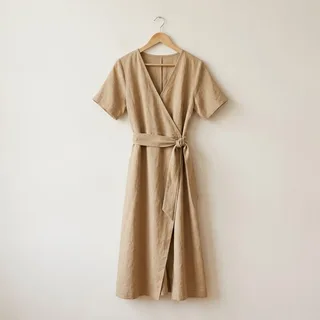
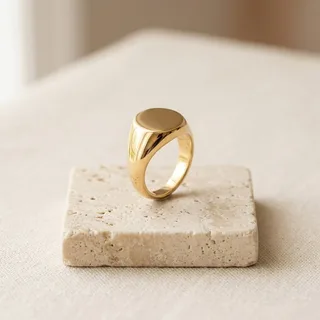
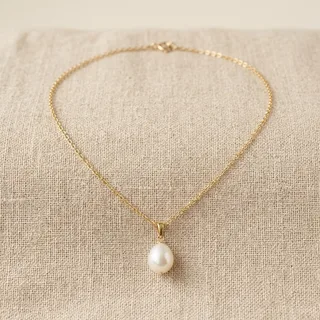
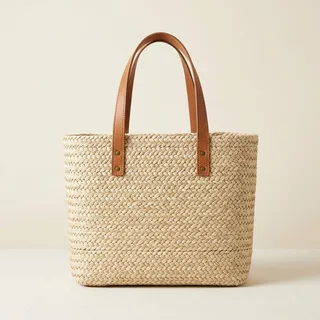
All the repetitive work, gone.
Adding new photos to a store is rarely hard. It is long, because every step has to be repeated for every photo.
By hand, for every single photo
- Work out which product it belongs to
- Resize it and convert it for the web
- Remove its camera and location data
- Rename the file for search engines
- Write its alt text
- Open the product and upload it
- Put it in the right place among the others
With Dropmatch, for all of them at once
- Drop all your photos: each one finds its product by its name, folder, SKU or barcode
- Check the matches and the texts written for you
- Send to your store, and undo if needed
The writing and the sending run in the background: you can close the tab and come back later.
One photo, ready to publish.
This is what happens to each photo you drop. Dropmatch does it for the whole batch at once.
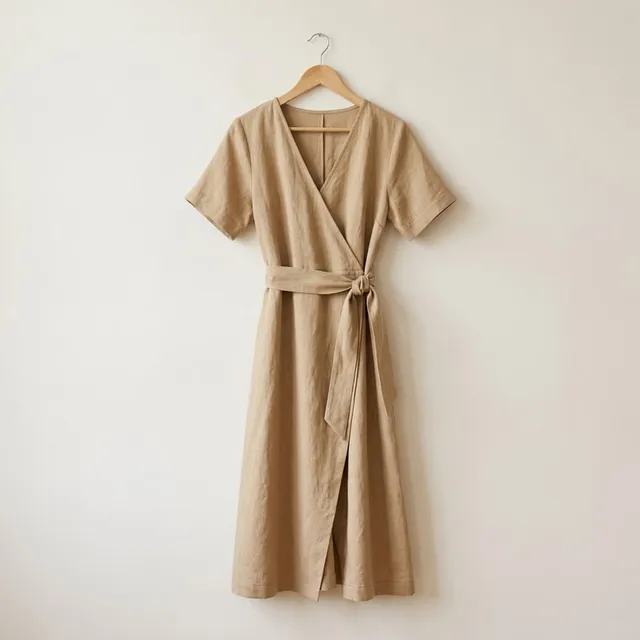
Before
- Product
- Not linked to any product
- File name
Linen Wrap Dress 2.JPG- Size and format
- Straight from the camera, JPEG
- Location and camera data
- Inside the file
- Alt text
- Empty
- Place on the product
- To do by hand
After Dropmatch
- Product
- Linen Wrap Dress, matched by its file name
- File name
linen-wrap-dress-sand-front.webp- Size and format
- 2048 px, WebP (or the size and format you choose)
- Location and camera data
- Removed
- Alt text
- Sand linen wrap dress on a hanger, front view
- Place on the product
- Added after your existing images
Example. Alt text and file names are written from what each photo shows, in your store's language, and you can edit them before sending.
See it in thirty seconds.
The video loads from YouTube when you press play.
Less time on photos, better pages.
Hours back on every collection
Matching, resizing, renaming, alt text and uploading are done for all your photos at once, in the background. You check and send.
Photos search engines can read
Search engines read alt text and file names, not pixels. Every photo gets both, written from what it shows, in your store's language and your brand's words.
Clean files, ready for the web
Resized to the size you choose and converted to WebP or JPEG. Location and camera data are removed before anything is stored.
Works with the names you already use
A photo named after its product is matched straight away. Folder names, SKUs and barcodes work too, and anything unsure waits for you.
Your store stays yours.
Your main image stays
Photos are added after your existing images. The image customers see first doesn't change.
Your theme and SEO untouched
Nothing is installed in your theme, and the SEO title and meta description of your existing products are never overwritten.
Drafts, never published
New products are created as drafts. Publishing is always your decision.
No photo library
Photos are deleted once they're in your store. Your matches and texts are kept, so the same files can be dropped again.
Start free. Upgrade as you add more.
The Free plan describes 25 photos a month. Paid plans start at $19 a month, billed by Shopify.
Free
- 25 photos a month
- 25 photo uploads / month
- 3 free rewrites per photo
- All features included
Starter
- 200 photos a month2,400 photos a year
- No monthly upload limit
- 3 free rewrites per photo
- All features included
Growth
- 600 photos a month7,200 photos a year
- No monthly upload limit
- 3 free rewrites per photo
- All features included
Studio
- 2,000 photos a month24,000 photos a year
- No monthly upload limit
- 3 free rewrites per photo
- All features included
Questions, answered.
What does Dropmatch do?
Dropmatch is a Shopify app for adding new photos to your products. You drop your photos, it finds the product each photo belongs to, resizes and cleans the images, writes alt text and an SEO file name for each one, and sends them to your store once you approve.
Does it work with my theme and my Shopify plan?
Yes. Dropmatch works inside your Shopify admin and adds photos to your products, so they appear wherever your theme shows product images. It doesn't change your theme, and doesn't require Shopify Plus or the Online Store channel.
How does it know which product a photo belongs to?
It compares the file name, the folder name, the SKU, the barcode and the product handle with your catalogue. A photo whose file name is the product's name, like linen-wrap-dress-2.jpg for “Linen Wrap Dress”, is matched straight away. When a name is close to more than one product, it suggests the nearest one, and a suggestion is never sent until you confirm it.
Anything unsure waits for your decision, and the reason for every match is shown. You can also assign photos by hand, or create a new product from them.
Will it replace my main image or overwrite my SEO?
No. On a product that already has images, new photos are added after them, so your main image doesn't change. SEO titles and meta descriptions are never overwritten: Dropmatch only fills them when they are empty, for example on the new products it creates.
What happens to my photos?
Only a cleaned copy is kept while you work: camera and location data are removed, and the original file is never stored. Photos are deleted from our servers once they're in your store, otherwise about 24 hours after upload. A countdown shows the time left, and you can reset it to 24 hours up to three times.
Your matches and texts are kept as text: dropping the same files again into that batch picks up where you left off, without using new credits.
What happens if I uninstall?
Your photos are deleted immediately, and everything else about 48 hours later. Photos and texts already sent to your store stay on your products.
A question, or something missing?
Write to us at support@aryios.com. We read every message and answer personally: a problem, a question before installing, or a need the app doesn't cover yet. The next features are being decided with our first merchants.
Get your time back.
Install Dropmatch, drop your photos, and spend your time on your products rather than on file names.