 Dropmatch
From photo folder to product page.
Dropmatch takes the repetitive part of adding product photos off your hands: sorting, preparing, renaming and describing them, all at once. You keep the final word at every step.
Every photo finds its product.
Dropmatch reads your catalogue and compares each photo with it. Your photographer's folders, your SKUs and your barcodes all count.
- Matching by file name, folder name, SKU, barcode or product handle
- Suggestions from the image itself, confirmed by you
- Unsure matches wait under “Needs your decision”
- The reason for every match is shown
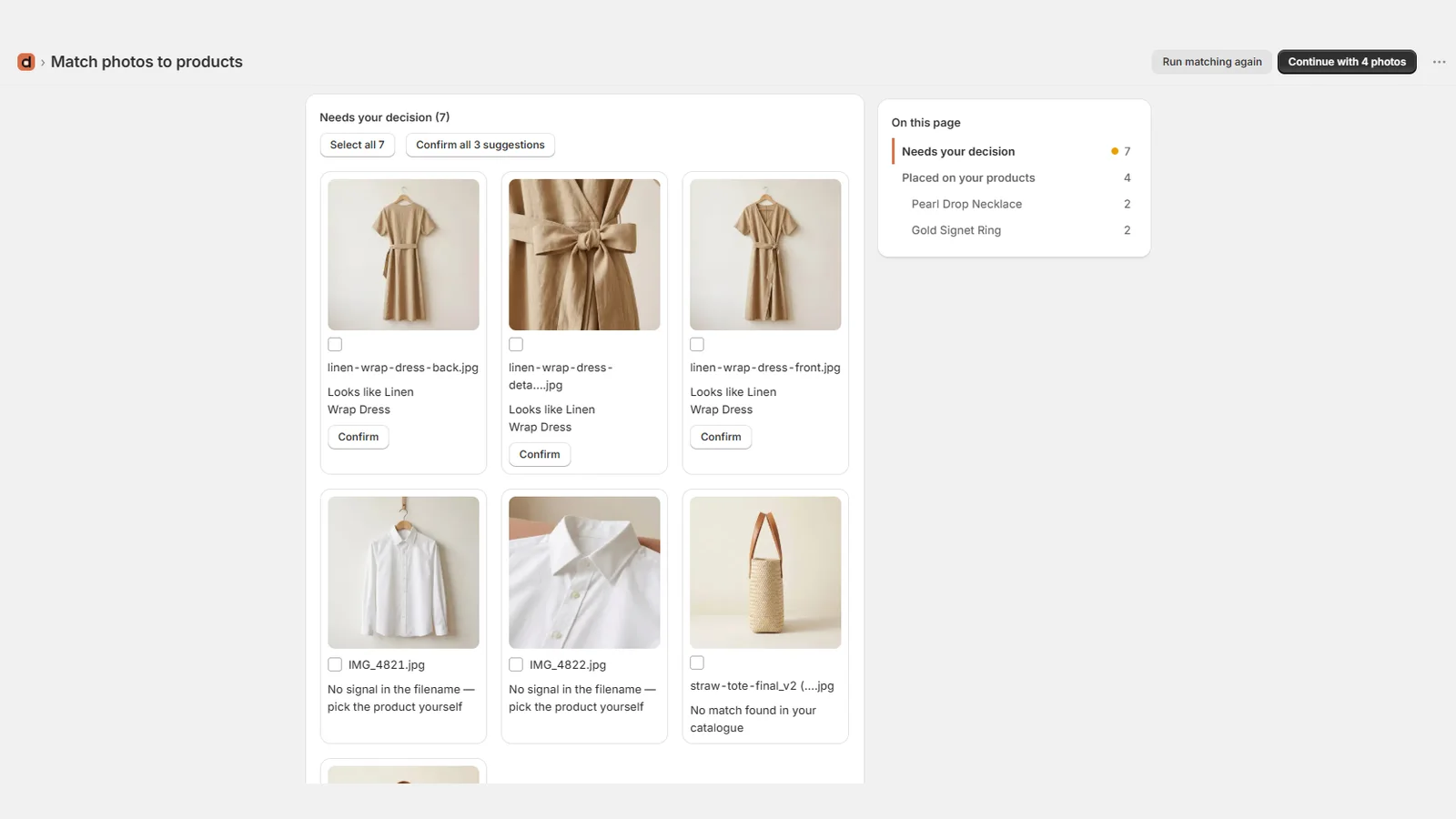
Fix anything in a few clicks.
Select photos, assign them to an existing product or create a new one. Reorder them before anything is sent.
- Bulk selection and assignment
- Create a new product from selected photos
- Reorder photos by drag and drop or buttons
- Leave out the photos you don't want
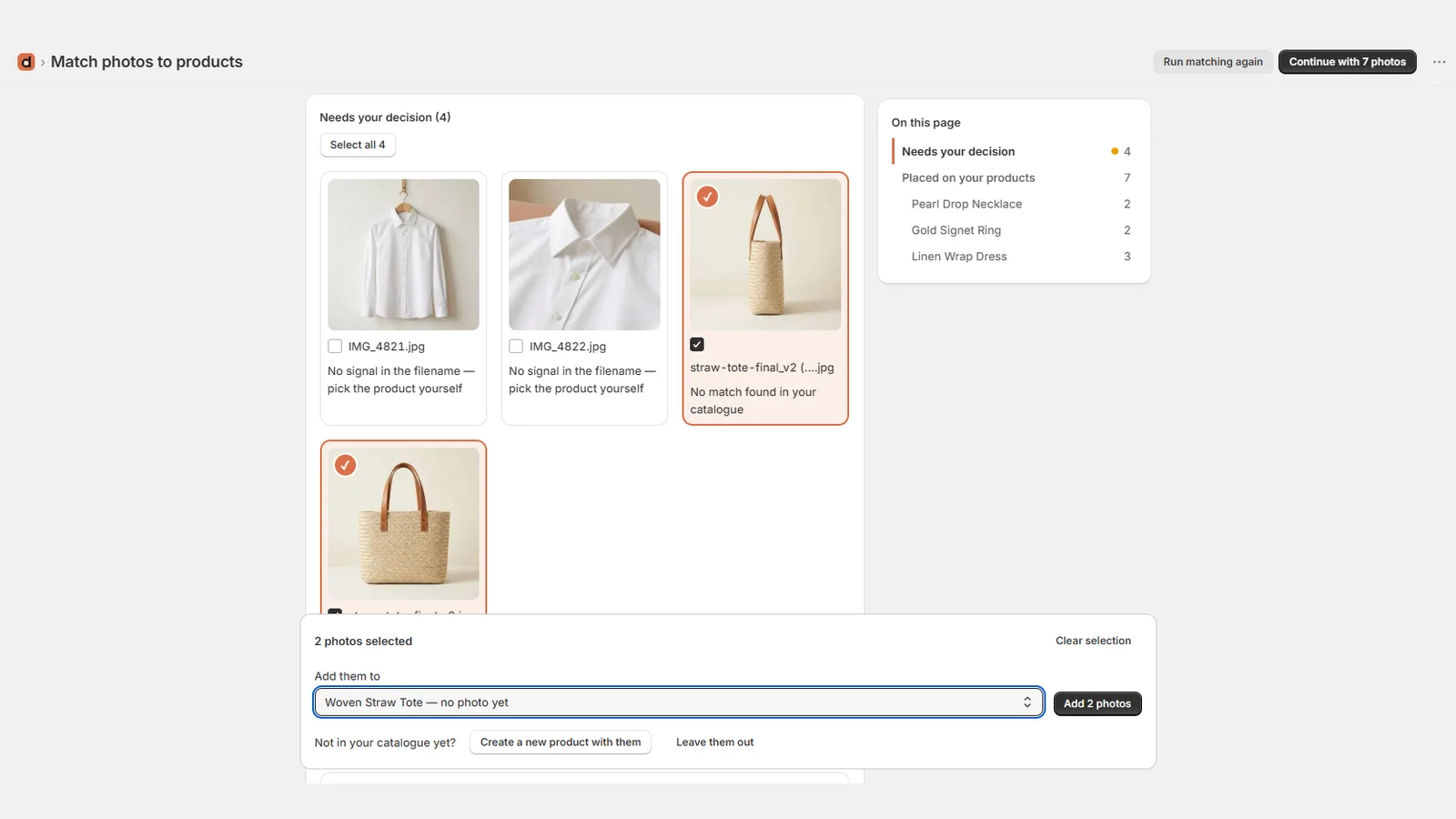
Texts written for each photo.
For every photo: alt text that describes what's visible, and an SEO file name. For new products, and products whose SEO fields are empty: an SEO title and a meta description.
- 10 content languages, one per store: English, French, German, Spanish, Italian, Dutch, Portuguese, Swedish, Danish, Polish
- Brand rules: facts to respect, words to avoid
- Every field editable before sending
- Up to three free rewrites per photo
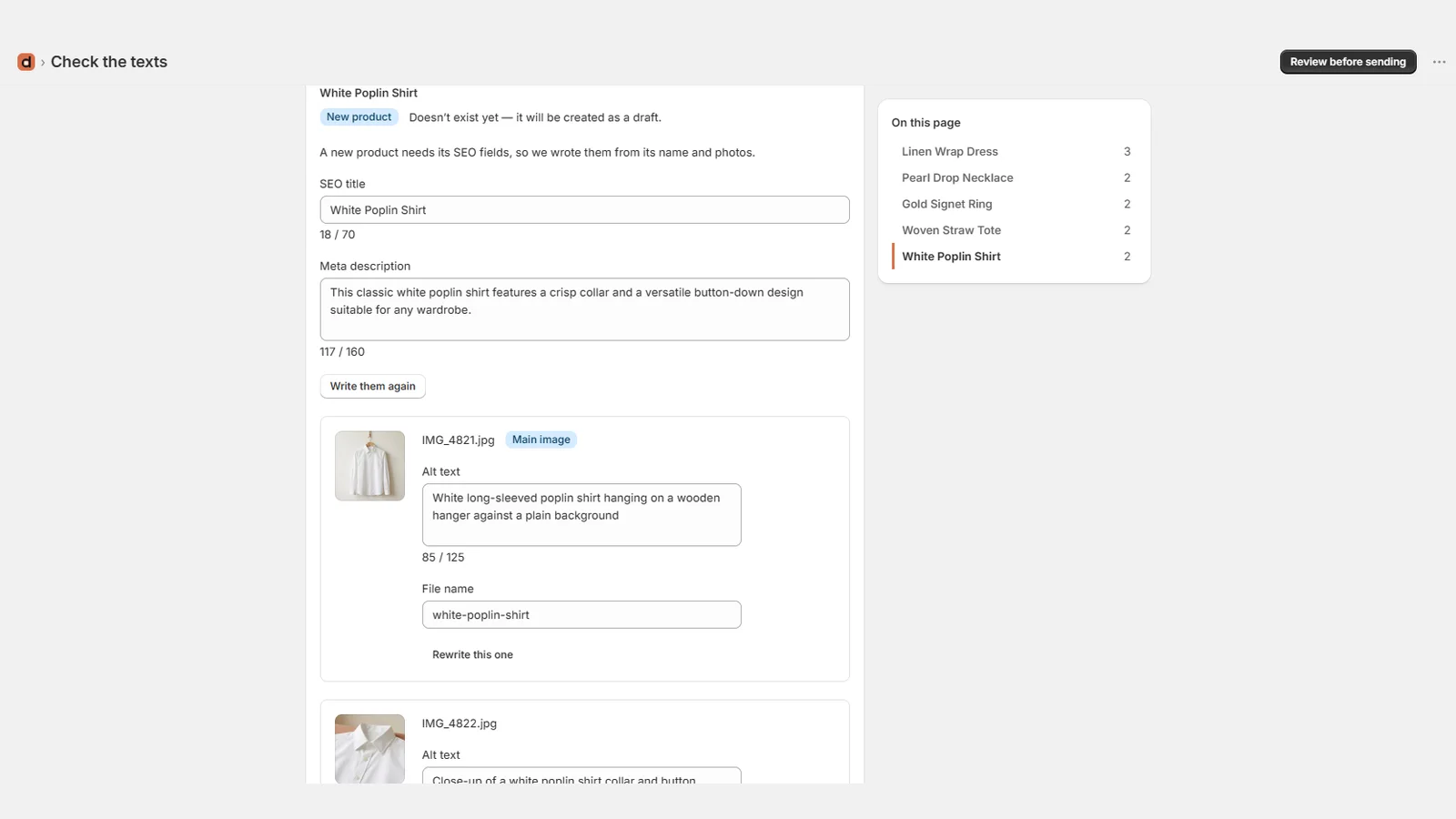
Send safely, undo anytime.
Photos are added after your existing images and new products are created as drafts. If you change your mind, undo the whole batch.
- Your main image never changes
- Existing SEO titles and descriptions are never overwritten
- Batch undo — products you edited since are kept, with the reason
- Resized to 1024, 2048 or 4096 px, WebP or JPEG
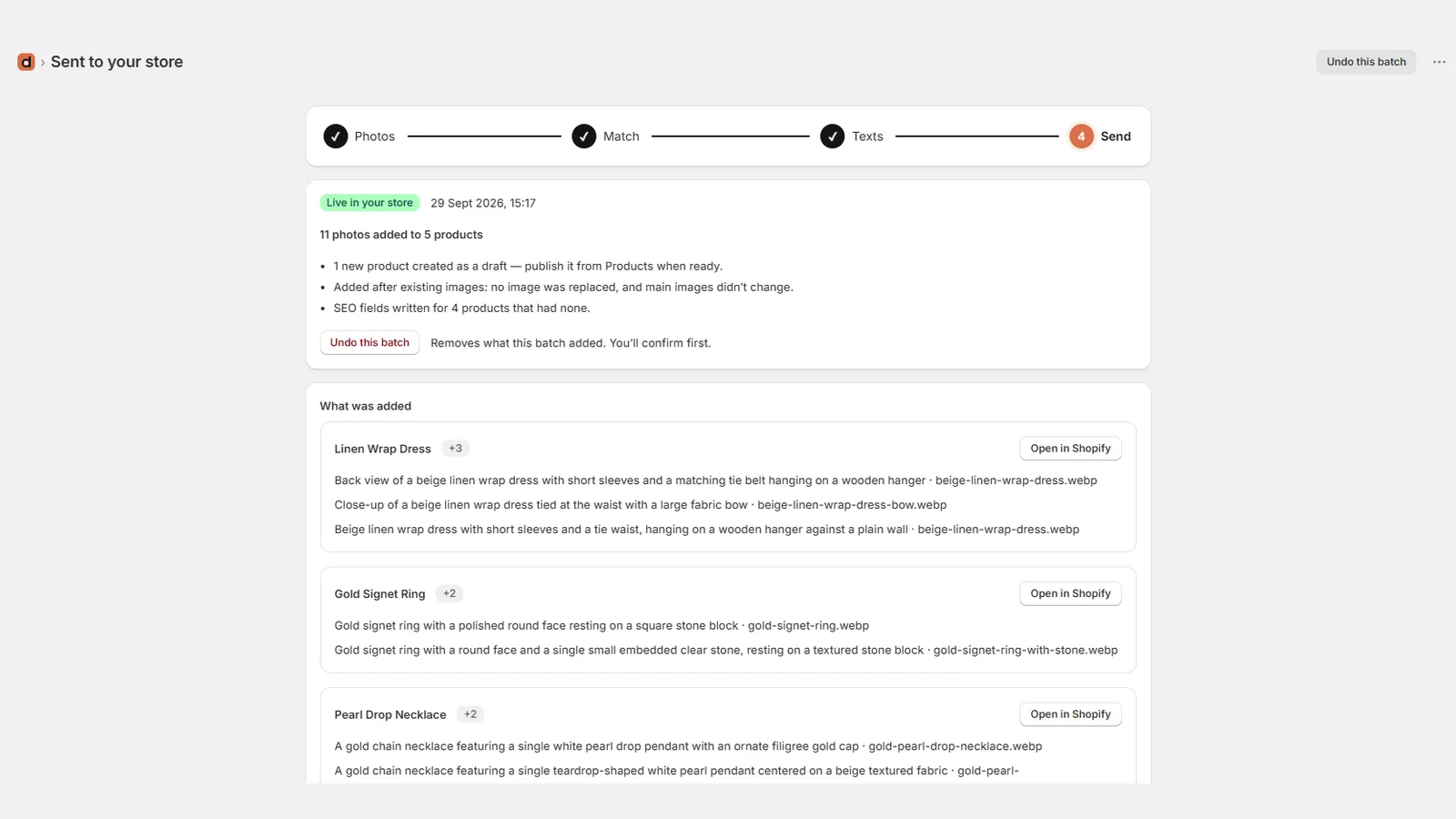
Everything at a glance.
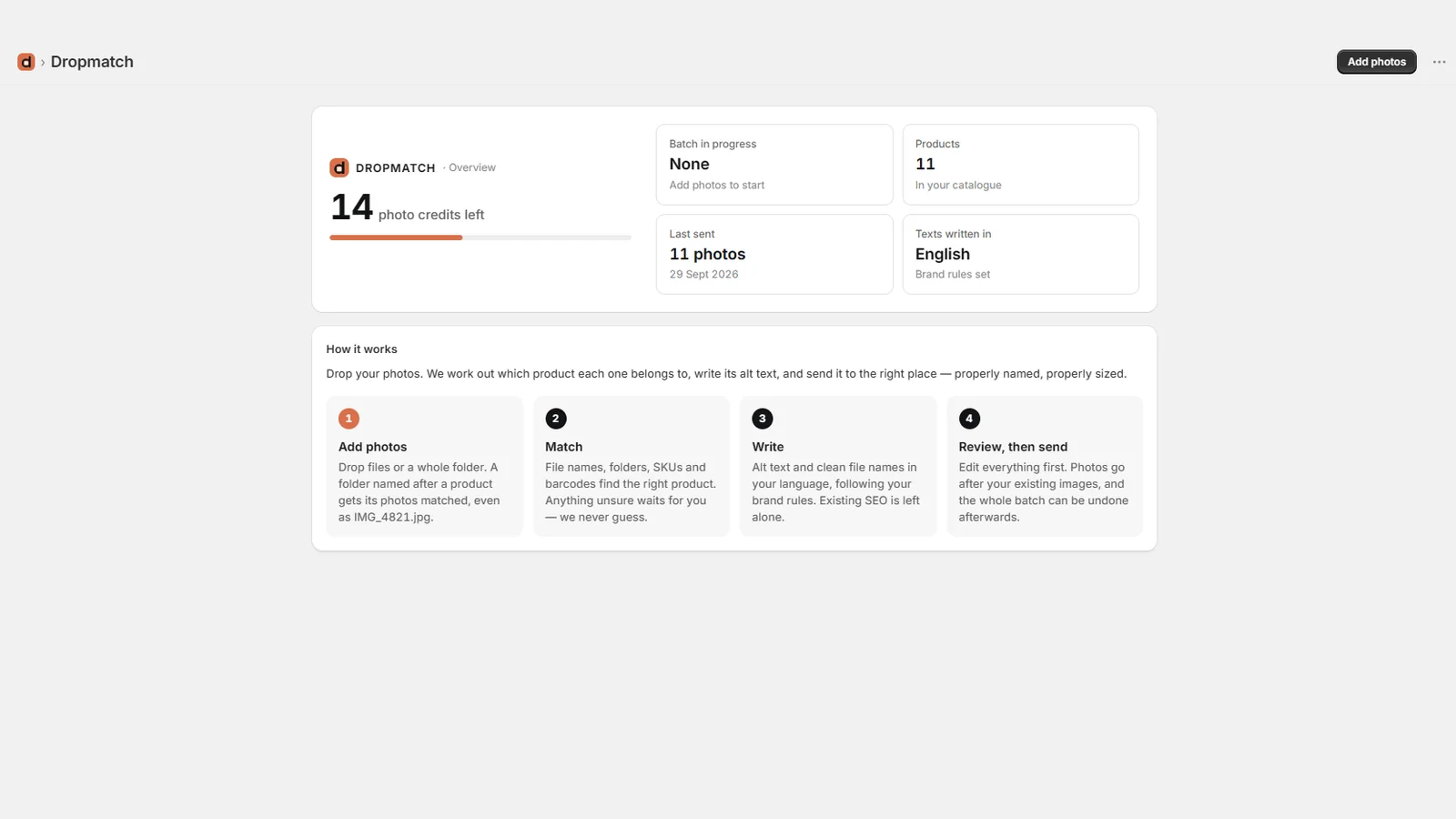
Credits, catalogue, your current batch and your last send, all on one screen. Every batch keeps a searchable history.
- History searchable by file name or product
- A page per product showing what was added
- Interface in English and French
- Help and support one click away
Every feature, explained.
Available on every plan. Plans differ only by the number of photos described.
Any product photos
Upload a few files or entire folders: packshots, model shots, details, new colours, from a photographer or taken in-house. Folder names help find the right product.
Duplicates skipped
A photo dropped twice is recognised and kept only once.
Your catalogue, always current
Dropmatch reads your products the first time you open it, then stays up to date as you edit them in Shopify.
Matching you can check
By file name, folder name, SKU, barcode or product handle. The reason for each match is shown, and anything unsure waits for your decision.
Bulk assignment
Select many photos and assign them to a product in one go, or create a new product from them.
Photo order
Arrange the photos of each product by drag and drop or with buttons before anything is sent.
Web-ready images
Resized to 1024, 2048 or 4096 px and converted to WebP or JPEG. Camera, date and location data are removed.
Alt text and SEO file names
Written from what each photo shows, in your store's language. Ten content languages are available.
Your brand rules
Facts to respect and words to avoid, applied to every text Dropmatch writes.
SEO for new products
Photos with no product can become a new draft product, with an SEO title and meta description written from its photos.
Edit and rewrite
Every text can be edited before sending. Each photo can be rewritten up to three times for free.
Only sent photos count
Only the photos that will go to your store are described. A description that fails costs nothing.
Works in the background
Writing and sending keep going if you close the tab, with progress shown. If a few photos fail, only those are retried.
Undo a whole batch
Removes the photos that were added and restores the SEO fields Dropmatch wrote. New products are deleted, unless you worked on them since.
Photos not kept
Deleted once they're in your store, otherwise about 24 hours after upload, with a visible countdown you can reset. Dropping the same files again into that batch brings back your matches and texts.
History and product view
Search past batches by file name or product, and see for each product what was added.
Built into Shopify
Runs inside your Shopify admin, with no separate account. Billing goes through your Shopify invoice.
English and French, with support
The interface is available in English and French, and help is one click away from any error message.
A question, or something missing?
Write to us at support@aryios.com. We read every message and answer personally: a problem, a question before installing, or a need the app doesn't cover yet. The next features are being decided with our first merchants.